


Font Awesome is a pictographic language of web-related actions which delivers over 300 icons. The Font Awesome webfont and CSS files are licensed under CC BY 3.0 and you can find the full examples of usage at Font Awesome - http://fortawesome.github.com/Font-Awesome
Add class fa-CLASS_NAME to any element, best used with a <span>.
Can also be added to any menu item using the Link CSS Style field in your menu item settings or to a module title using the Header Class field in your module settings.
Web Application Icons
Form Control Icons
Currency Icons
Text Editor Icons
Directional Icons
Video Player Icons
Brand Icons
Medical Icons
We have included an option to easily add animations to almost any element of your site content. These animations are triggered once elements enter the viewport of your browser as you scroll down the page adding life and energy to your site content. Great for adding focus to particular elements of your content which you wish to bring to the attention of your visitors.
Doing so is as simple as adding class names to the element you wish to animate via either inline through your editor or via your 'Module Class Suffix' (Modules) or 'Link CSS Style' (Menu Items) fields.

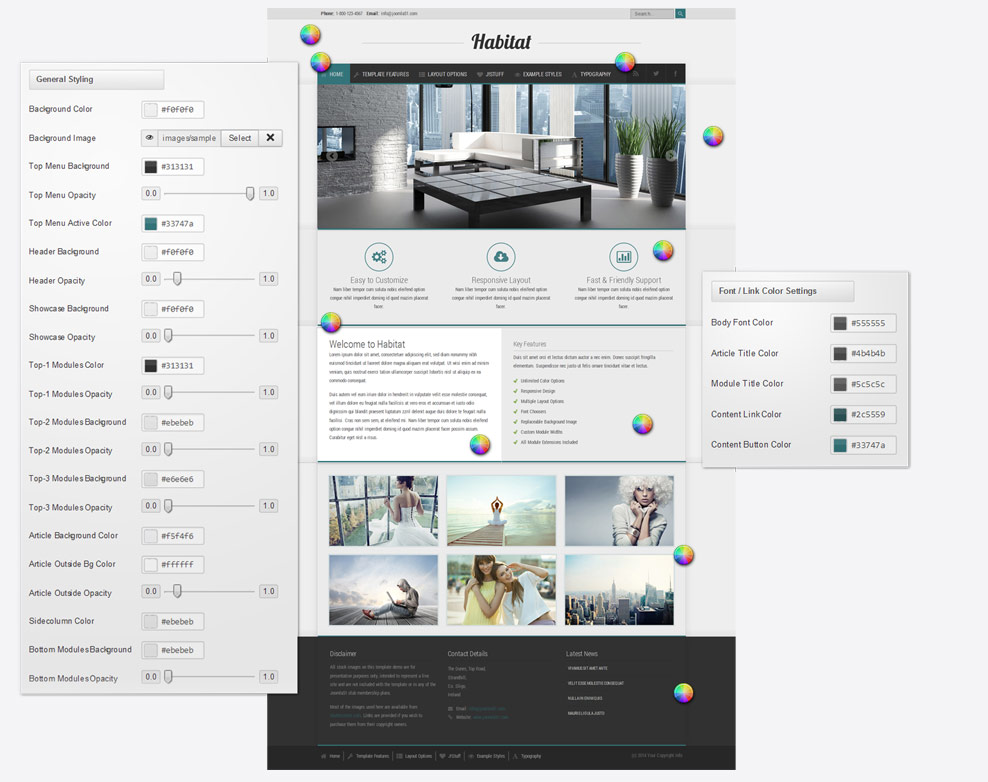
Your template comes with a host of Color Choosers allowing you total control of the look and feel of your site. Simply navigate to Extensions -> Template Manager -> [YourTemplate] to access the full range of easy to use Colour Choosers.